
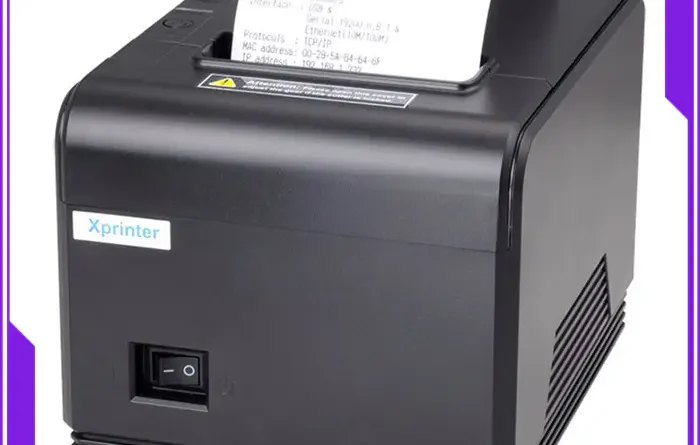
Mobile Receipt Printer Features Every Retailer Should Consider
Retail businesses increasingly rely on mobile point-of-sale systems to process transactions outside traditional checkout counters. A compact printer can make it easier for staff to provide customers with printed receipts, transaction records, and other documents wherever sales take place.
Choosing the right Mobile Receipt Printer involves more than looking at size and price. Retailers should consider connectivity, battery performance, print quality, compatibility, durability, and the printer’s ability to support everyday workloads.
Compact and Portable Design
Portability is one of the most important features for retailers using mobile sales systems. A lightweight printer can be carried by employees while they assist customers on the sales floor or work at temporary checkout areas.
A compact design can also reduce the space required for equipment. This is especially useful for pop-up stores, markets, events, and retailers with limited counter space.
Reliable Wireless Connectivity
A mobile printer should provide a stable connection with the devices used by store employees. Bluetooth is common for short-range connections with smartphones, tablets, and handheld POS terminals.
Wi-Fi may be more appropriate for environments where printers need to communicate across a larger area or connect through an existing network. Retailers should select a connection method that works reliably with their software and devices.
Long Battery Life
Battery performance directly affects how useful a portable printer is during a working day. A printer with sufficient battery capacity can support extended periods of mobile operation without frequent charging.
Retailers should consider expected printing volume, charging time, and whether the printer can be conveniently recharged between shifts.
Fast Printing Speed
Quick receipt printing can help maintain efficient customer service during busy periods. A printer that produces receipts promptly can reduce waiting time at mobile checkout points.
However, maximum print speed should not be considered on its own. Retailers should also evaluate print quality and consistency, particularly when the printer will be used frequently.
Good Print Quality
Clear text, numbers, logos, and transaction details are essential for readable receipts. A suitable printer should produce consistent results throughout normal daily use.
Thermal printing is widely used in receipt printers because it does not require ink cartridges or toner. It uses heat-sensitive paper to create the printed image, simplifying routine operation.
Compatibility With POS Systems
A printer may have strong hardware specifications but still be unsuitable if it does not work with the retailer’s existing POS software. Compatibility with smartphones, tablets, operating systems, and POS applications should therefore be checked before purchase.
Retailers should also confirm whether the printer supports the communication protocols and software platforms used by their business.
Suitable Paper Size
Receipt printers are available in different paper widths. The appropriate size depends on the retailer’s receipt format and the amount of information that needs to be printed.
Businesses should consider the required paper width, roll capacity, and availability of compatible thermal paper. Standardizing paper supplies can also simplify inventory management.
Durable Construction
Retail environments can expose portable equipment to frequent handling, movement, and occasional impacts. A durable printer can be better suited to employees who carry and operate the device throughout the day.
For retailers working in demanding environments, additional protection against dust, moisture, or accidental drops may also be worth considering.
Simple Paper Replacement
Staff should be able to replace paper rolls quickly without complicated procedures. A straightforward paper-loading mechanism can reduce interruptions during busy sales periods.
A clear paper-out indicator is another useful feature because it helps employees identify supply issues before they significantly disrupt operations.
Easy Maintenance
Thermal printers generally require less routine maintenance than printers that depend on ink or toner. Even so, the print head and paper path should be kept clean to maintain consistent printing performance.
Retailers should also consider the availability of replacement parts, technical support, and manufacturer documentation when evaluating different models.
Security and Data Handling
Receipts can contain sensitive transaction information, so retailers should consider how print data is transmitted and handled. Wireless connections should be configured appropriately, particularly when printers operate within business networks.
Businesses should also ensure that their POS software follows appropriate security practices for customer and payment information.
Final Considerations
The best mobile printer for a retailer depends on the business’s operating environment and transaction requirements. Portability, connectivity, battery life, printing speed, compatibility, paper capacity, and durability are among the most important factors to evaluate.
Rather than choosing a device based on one specification, retailers should consider how all of these features work together. A well-matched printer can support smoother mobile checkout operations while giving employees a practical way to provide customers with printed transaction records.

